
Announcement:
We have officially launched BETA on 1 Jan 2026. Be part of our first cohort. Request for early access.



Turn Complex Coverage
into Clear Advice
Instantly unify scattered policies into a single, structured view. Spot coverage gaps automatically and model "Before vs. After" scenarios to help clients see the true value of your recommendations.

AI Extraction

Optimise

Source Verification

Privacy & Compliance
Upload Policies. Get a Clean, Structured Portfolio.
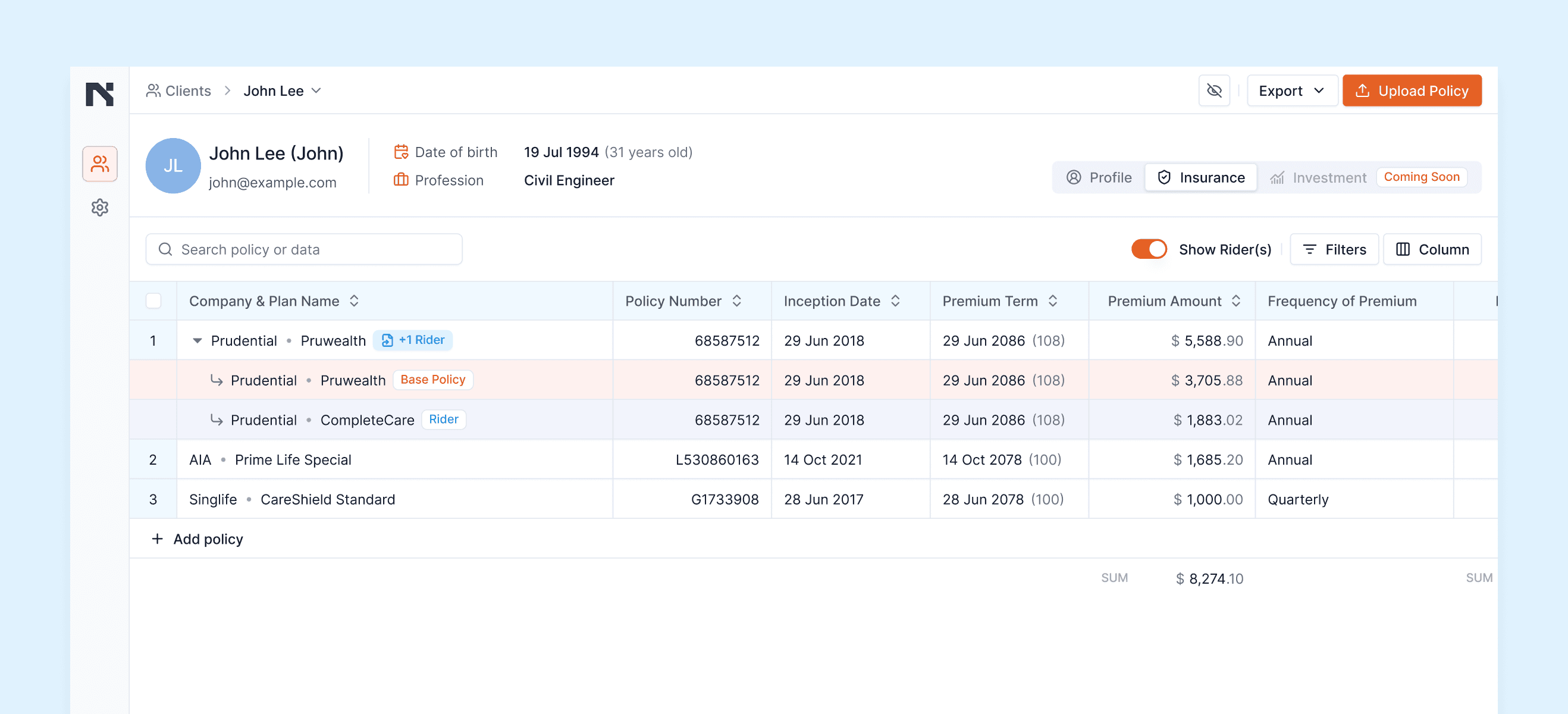
Upload multiple policies and riders, and Kiros does the reading for you. Our AI extracts key coverage details, sums assured, premiums, riders, and coverage across categories, and organises them into a single, structured table for that client.
Instead of juggling spreadsheets and formulas, you see your client's total coverage across all policies in one view. Kiros automatically sums coverage by category so you can spot gaps and overlaps instantly.

Multi-Format Ingestion.
AI extraction from PDF policies, riders, and quote documents.

Auto-Aggregation.
Totals are summed automatically across Death, TPD, CI, and Accident categories.

Zero Data Entry.
Clean, spreadsheet-like portfolio view generated in seconds.

Model New Portfolios Without Rebuilding Spreadsheets
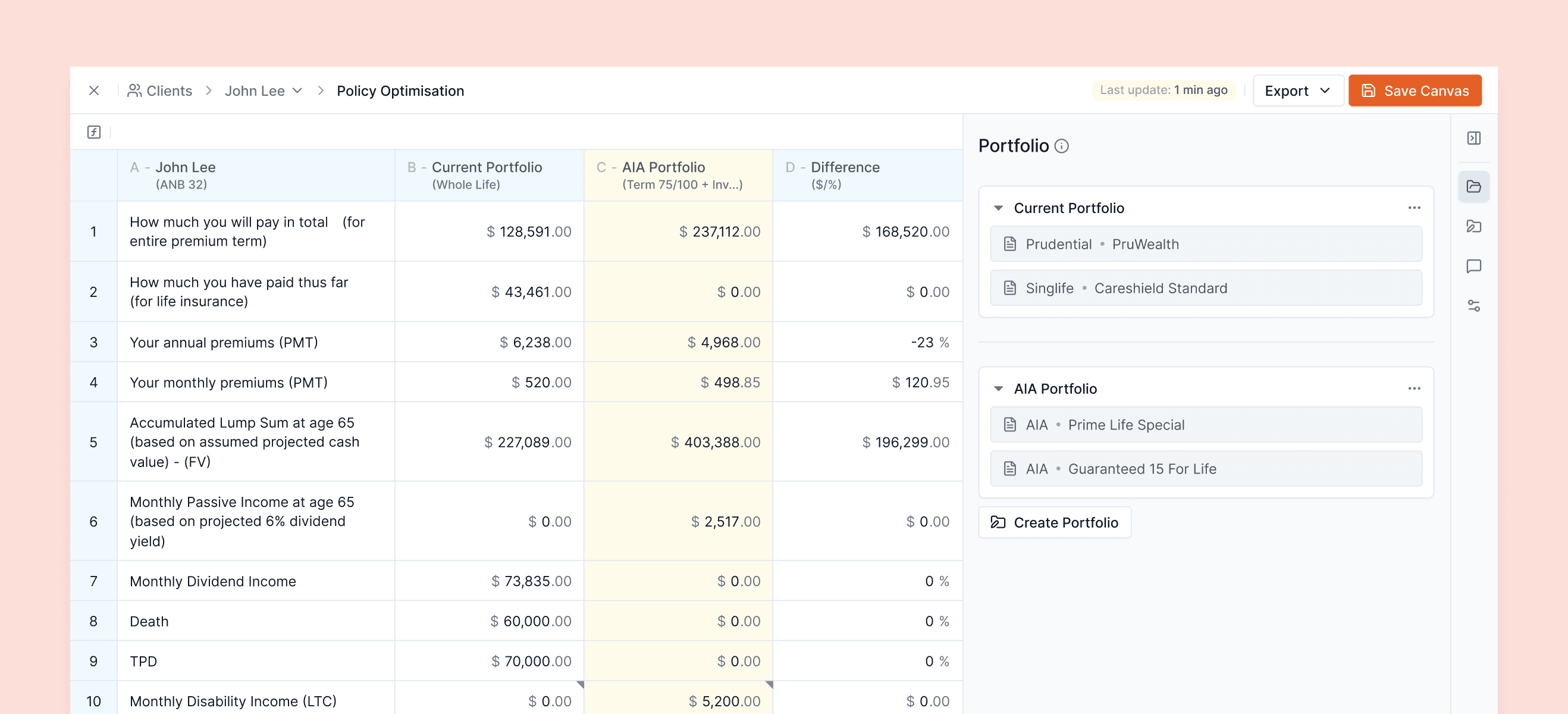
When a client comes with existing coverage and new policy quotes, building a clear "before vs after" view usually means hours of manual work. Traditionally, that means reading every new quote, cross-referencing by hand, then setting up formulas in a fresh spreadsheet.
Kiros turns that into a few clicks. Start from the current portfolio, add new policies or proposed changes, and create multiple scenarios. The system generates a side-by-side comparison against the base portfolio, so you can see how coverage and total premiums change in each scenario.

Multi-Scenario Modeling.
Create multiple variations (e.g., "Plan A" vs. "Plan B") off the same base portfolio.

Instant Quote Extraction.
Upload new policy quotes and let AI map the data, just like existing policies.

Dynamic Comparison.
View "Current" vs. "Recommended" portfolios side-by-side.

Real-Time Impact.
Watch coverage totals and premiums update instantly across different scenarios.

[ Step-01 ]
Add new policies and let AI do the maths
Add new policy quotes into the optimisation canvas. Kiros reads the documents, extracts coverage, riders, and premiums, and folds them into new scenario portfolios, without rebuilding spreadsheets or formulas.

[ Step-02 ]
Compare scenarios side by side
View the current portfolio next to each proposed scenario. Drag and drop policies between scenarios to test different combinations instantly, giving you a clear view of how each option affects coverage, protection and cost.
Clients see how their coverage and premiums shift in plain numbers. That clarity reduces friction, builds trust, and speeds up their decision to go ahead.

[ Step-03 ]
Present a clear recommendation
Advisors don't just make judgement calls. Add notes directly to cells to explain why you kept a rider or changed a structure. If AI misreads a value, overwrite it and leave a note. When a client asks "Why this option?", your reasoning sits right next to the figures.
Every Number Traceable.
Every Cell Editable.
AI does the heavy lifting, reading documents, extracting values, and running the calculations, but every figure is still reviewed and decided by you. Every extracted value sits in a cell you can check, edit, or overwrite in seconds.
When a client or compliance officer asks, "Where did this number come from?", Kiros has the answer. Click on any coverage or premium figure and the platform takes you straight to the exact clause in the source PDF.
If you need to explain your workings, the formulas behind each comparison are visible, so you always know how a figure was calculated.

Click-to-Source.
Jump instantly from a spreadsheet cell to its origin in the PDF. Manual overwrite of any extracted value
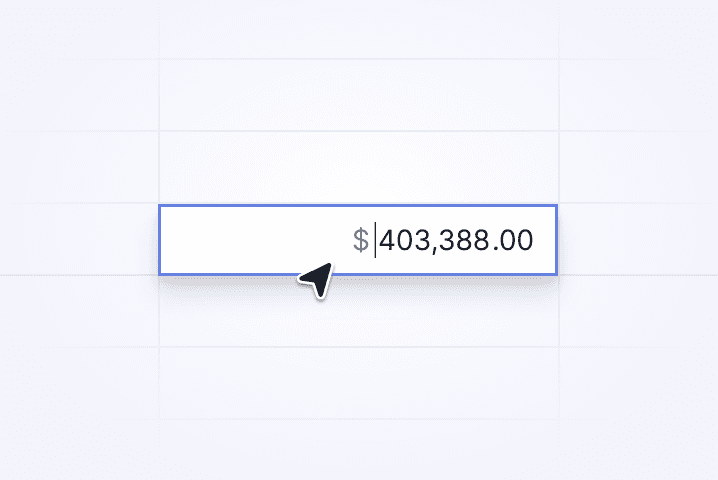
Manual Overwrite.
You are the expert. Edit any value instantly if the AI misses a nuance.
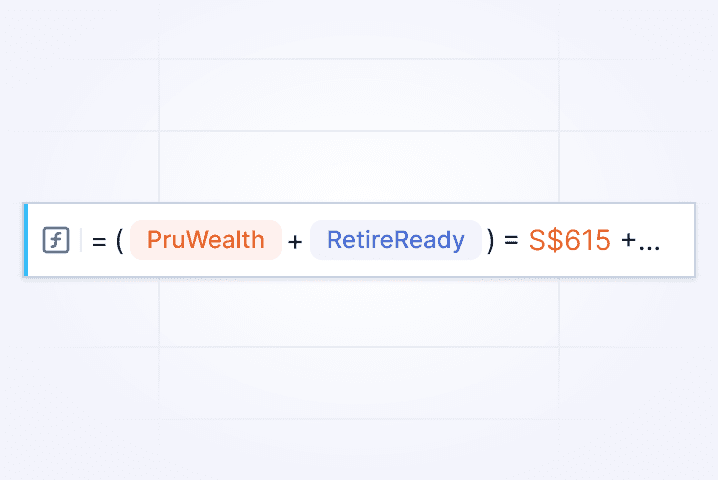
Transparent Formulas.
Transparent calculations so you can show how each figure was derived
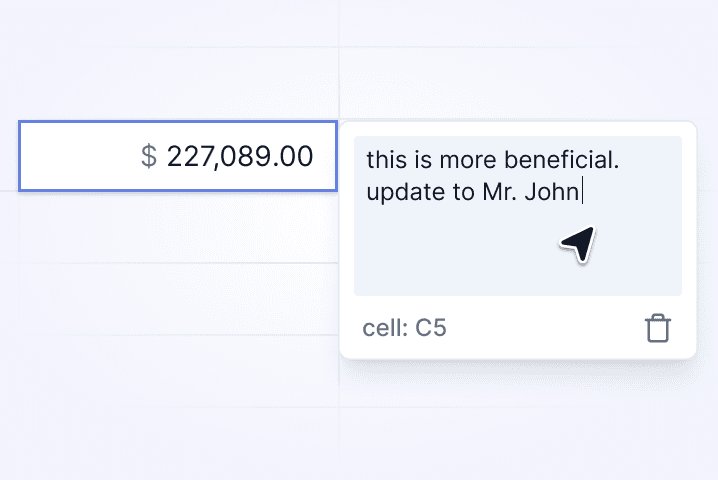
Cell-Level Notes.
Easily add notes for your own rationale and reminders
Share the Story,
Not the Sensitive Details
Once you are happy with a portfolio or scenario, you can export the structured table for use in your client consultations, without rebuilding it in Excel.
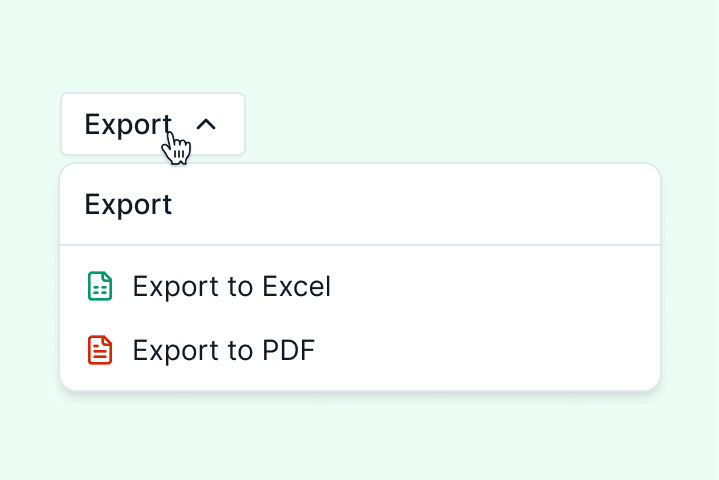
Consultation Ready.
Export clean portfolio and comparison tables for client reports.
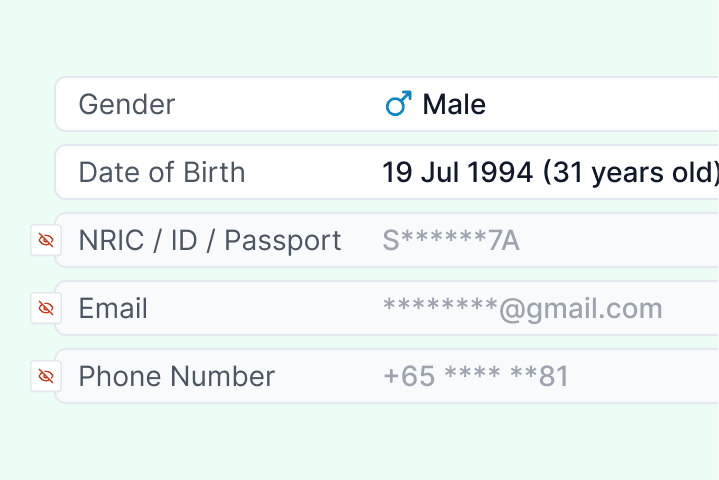
Privacy Toggle.
Instantly mask sensitive PII (NRIC, Email, Phone) for safe screen sharing.

Client-Friendly Layouts.
Formatted to keep the focus on coverage and cost, not clutter.
Crucially, Kiros includes a Privacy Mode. When you are sharing your screen or a printed copy, you can hide sensitive fields such as names, NRIC, email, or phone with a single click, so you can walk through the numbers without exposing personal identifiers. This keeps the focus on coverage and cost while supporting your PDPA and internal compliance obligations.
Join Our Beta as a Founding Adviser
By invite only. Limited spots available in this cohort.





Be part of our first cohort of advisers using Kiros in production. Get early access, a direct line to our product team, and a say in how we build the infrastructure of compliance-first, adviser-centric technology.

Intelligent AI assistant for smarter & efficient financial advisory.
Built by Advisors, for Advisors.
[ RESOURCES ]

2026 © Kiros Technology Pte Ltd. All Rights Reserved.
email: hello@kiros.sg
